
O PVSyst has a module capable of repetitively and automatically simulating the same system under multiple orientations, inclinations and distance between rows repeatedly, varying the parameters in steps and mapping the generation for each case.
Mapping energy generation is very useful for comparing how the same system in the same location behaves when varying its inclination and orientation.
The designer can, for example, quickly decide whether a roof facing 35º east with a slope of 10º will generate more energy than a roof facing 45º west with a slope of 5.
This tutorial will show you how to use the PVSyst generation optimization and mapping tool. To better understand the effects of corrections, energy gains, and security concerns, read the articles Should PV modules always be oriented towards the North? e Is it worth adjusting the angle of solar modules on roofs?.
Tutorial
To use the generation mapping tool it is necessary to have a sketch of the final system already containing all the components, weather conditions, known losses, etc. In this tutorial the system used is made up of 13 400 W modules connected in a string to an 8,2 kW inverter in the city of Campinas (SP).
Step 1
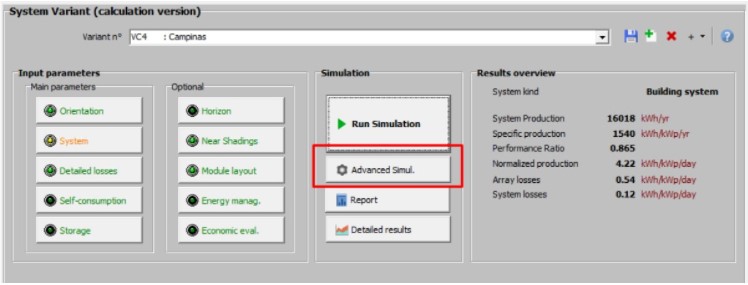
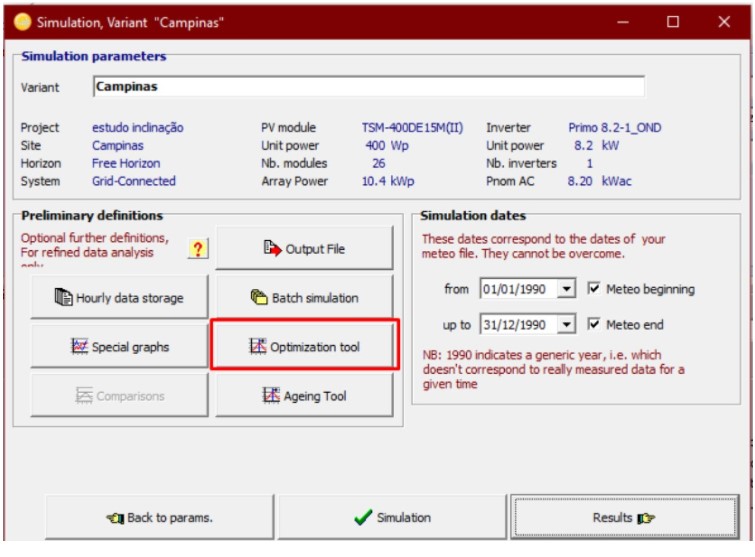
With the system defined, click Advanced Simulation. In the window that opens, click Optimization Tool
 Step 2
In the window in the figure below, select the parameters to be varied and simulated. If you have defined the modules allocated in a simple plane, the simulation options will be “Tilt” which is the inclination and “Azimuth” which is the azimuth. If you have selected the arrangement of modules on multiple tables, the “Pitch” option will also appear for optimization.
Select the maximum and minimum inclination and azimuth and the number of steps (Steps) that you want to vary each of these items. The greater the number of steps, the more detailed the generation map will be, but the slower the simulation will be.
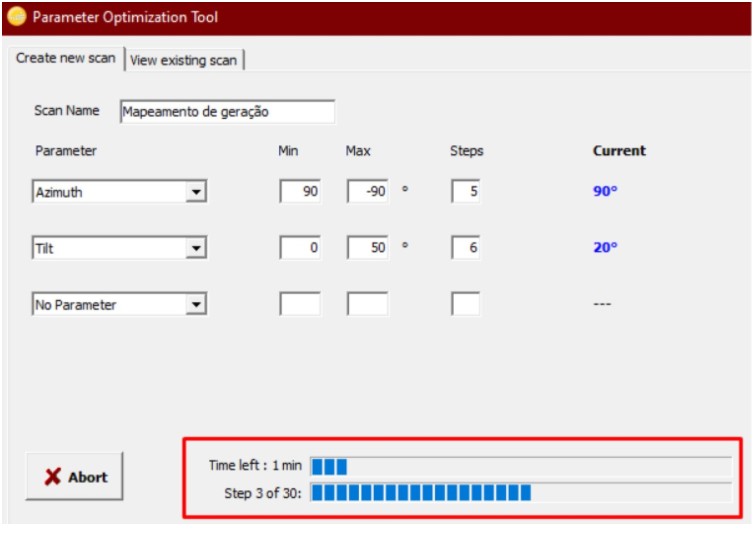
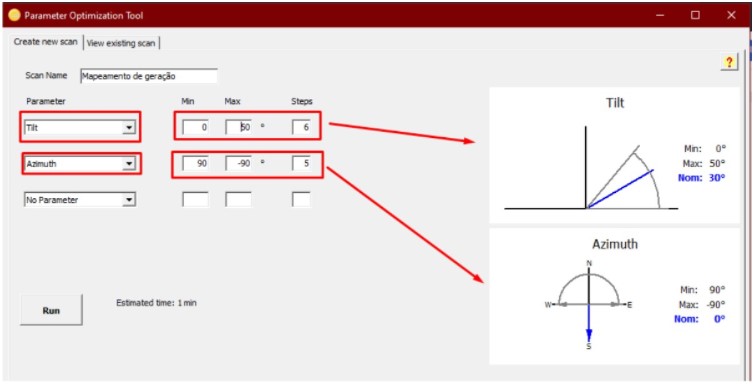 In the example in the figure below, the system is being simulated from 0 to 50 degrees of inclination in 6 steps, that is, every 10º and the orientation is simulated from East to West in five steps. When you click on “Run”, the program will start the simulations and inform you of the estimated time to complete them.
 Below are some simulation examples varying the number of steps for the same system.
 Simulation 1
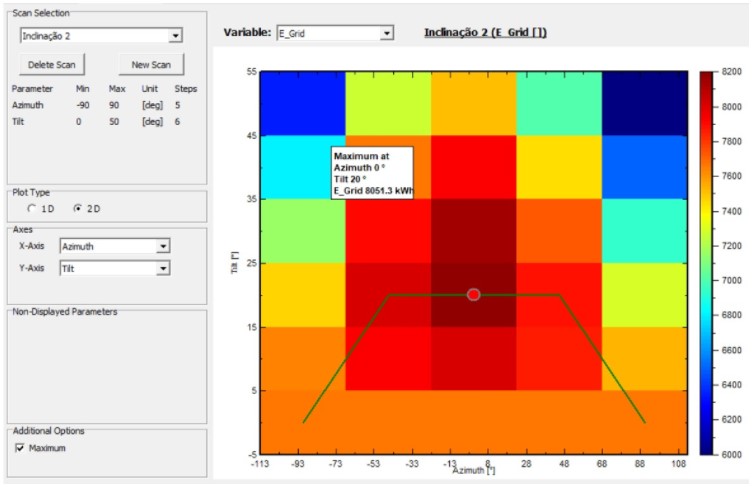 Simulation 1
Generation mapping in five azimuth steps (east to west) and six inclination steps (between 0º and 50º).
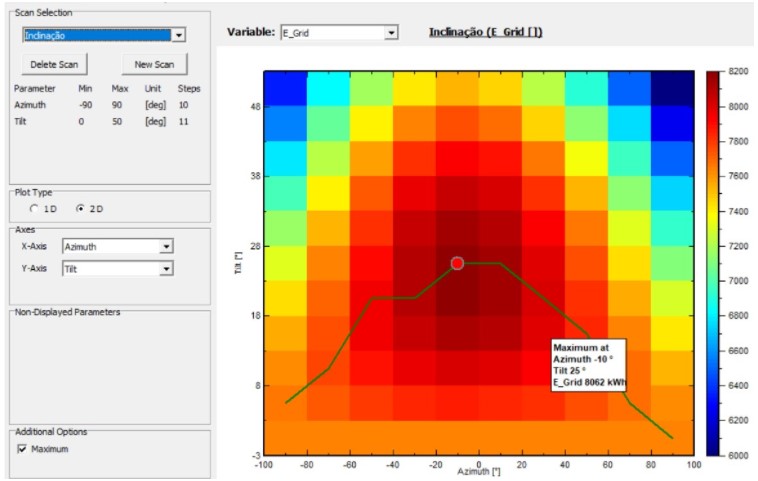
Simulation 2
Generation mapping in 10 azimuth steps (east to west) and 11 inclination steps (between 0º and 50º).
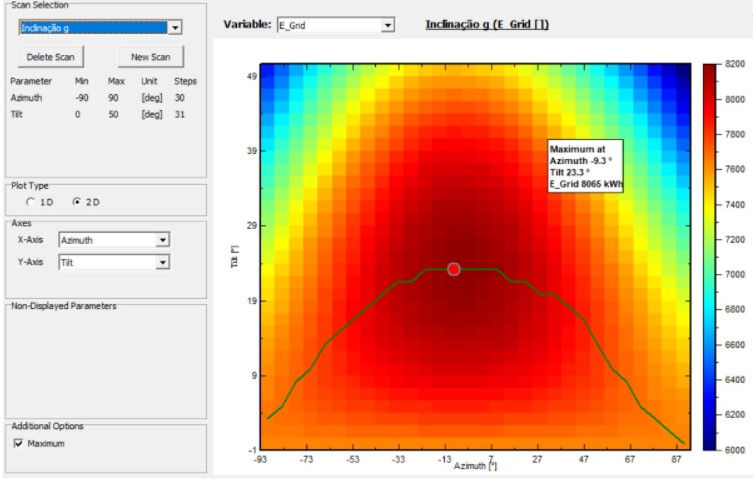
Simulation 3
Generation mapping in 30 azimuth steps (east to west) and 31 inclination steps (between 0º and 50º). It is also possible to simulate a system with multiple tables by varying the inclination, azimuth and distance between them (Pitch).
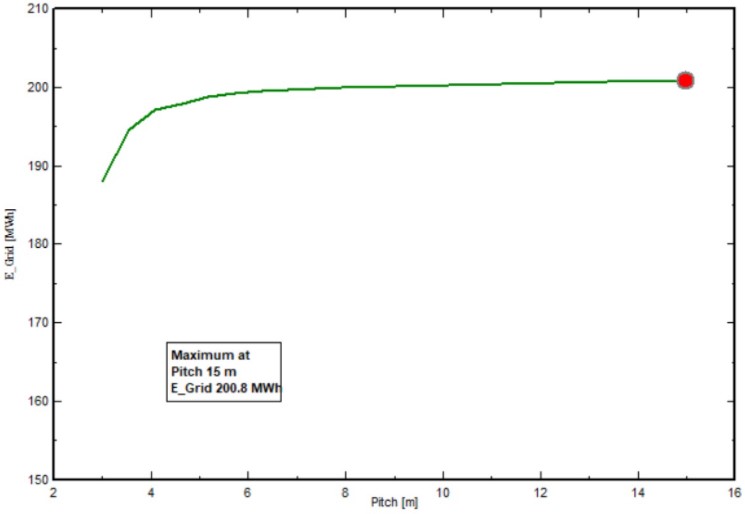
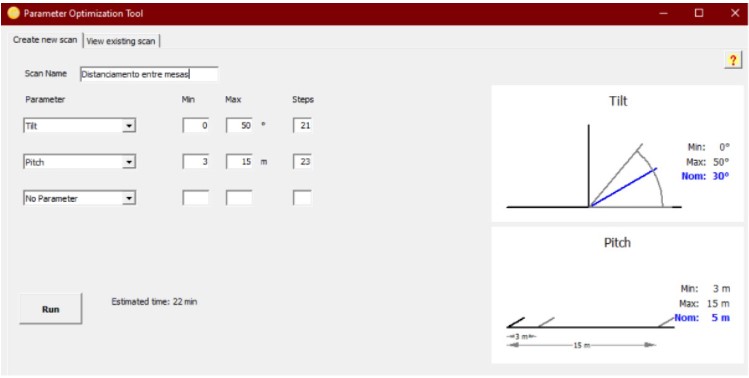 In the figure below, a system with 18 tables was simulated by varying the distance (Pitch) between three meters and 15 meters.
 Simulation 4
 Simulation 4
Amount of energy generated in relation to the spacing between tables. From a distance of five meters, losses due to mutual shading decrease significantly.



Comments
Comments are moderated before publication.Comments should be respectful and contribute to a healthy debate. Offensive comments may be removed. The opinions expressed here are those of the authors and do not necessarily reflect the views of the author. Canal Solar.